

9 min read · Updated: 2026-10-14
If you want your event to appear in Google search, start with a solid, simple listing. The more accurate and complete your information, the higher the chance people will find it when they search for local happenings. This guide walks you through practical steps you can take today to improve visibility without hard-to-apply tricks.
You’ll learn how to create or claim a listing, tailor details for your audience, and use free tools to help Google understand what your event is about. The focus is on achievable tasks that fit everyday life and planning. By the end, you’ll know what to publish, where to publish it, and how to keep it fresh.
The aim is not to game the system but to give Google clear signals about your event and its location. With consistent updates and accurate data, your event becomes part of local search and maps. This helps attendees discover it through routine searches and nearby recommendations.
- To get your event to appear on Google, set up a clear, accurate listing and keep it updated. Provide essential details like date, time, venue, and a short, helpful description. Publish across relevant platforms and monitor performance to refine language and timing.
- Think like a local reader: use familiar place names and practical details. Include a photo with alt text and ensure links work. Update listings promptly when details change.
- Regularly check the listing’s visibility signals and adjust the headline and first lines to match common search phrases. Small tweaks, not big overhauls, yield steady gains.
- Use a simple plan: confirm ownership, fill fields accurately, publish early, and monitor performance. The goal is clarity and reliability, not gimmicks.
Foundational setup
Claim or create listing
Start by claiming your event listing on Google, or create one if it doesn’t exist. Use exact event details like date, time, and venue to avoid confusion. Check for any duplicates and merge them where possible. get your event listed in Duxbury is the first step to visibility.
Consistency matters: match your event title, description, and location across all platforms. This reduces confusion for readers and search engines alike. Add a clear category and a concise, helpful description that answers what, where, and when.
- Verify listing ownership
- Use precise venue address
- Choose a precise event date
- Add a contact method
- Upload a legible image
Describe clearly
Write a concise description that answers the reader’s likely questions: what is happening, where is it, when does it start, and who should attend. Avoid vague phrases and be specific about accessibility and any requirements. Use friendly, plain language.
Keep the description within a few sentences and add keywords naturally. Do not stuff keywords; instead, integrate terms that reflect what people would search for in everyday speech.
The goal is a description that someone scrolling quickly can skim and still understand. Include a call to action, such as how to register or where to buy tickets.
Description should read as a real human note rather than a marketing pitch, focusing on clarity and usefulness.
Nailing the basics
Use essential details
List the essential facts first: event name, date, time, venue, and a quick summary. These details should be readily visible without scrolling. Small omissions can lead to missed searches or confusion. Keep readers informed with the latest news Duxbury to maintain relevance.
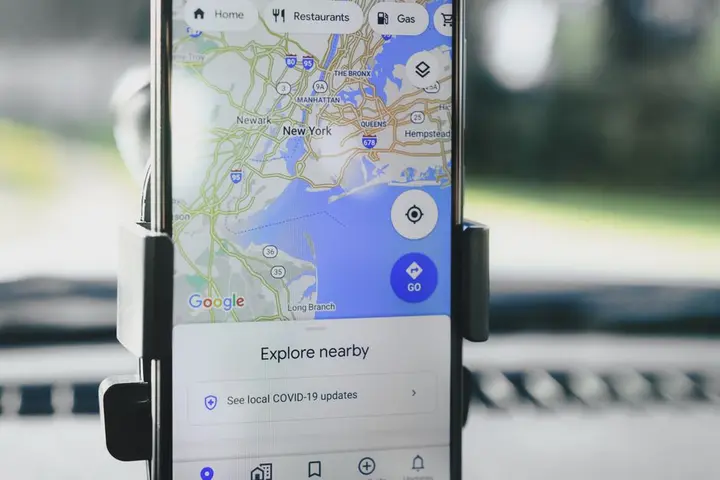
Ensure the venue address is accurate and the map location is correct. If your event spans multiple days or sessions, note the schedule clearly. These details help Google and readers alike.
Write a brief, useful opening sentence that sets the scene and invites attendance. The more precise your opening, the better its performance in search snippets.
Precision in basic fields reduces misinterpretation and improves user experience on mobile devices.
- Exact date and time
- Correct venue address
- Accessible venue details
- Clear schedule highlights
- Concise opening sentence
Include helpful resources
Provide links or references to ticketing pages, venue maps, or accessibility information. Where possible, link to official event pages rather than third-party sites. This helps readers verify details quickly.
Ensure any links are active and open in new tabs so readers don’t lose the page they started from. Clear navigation reduces drop-offs.
Describe any accessibility options such as wheelchair access or hearing assistance, if relevant. These details improve inclusion and can influence attendance.
Resources should be practical and easy to access, not buried in long paragraphs or fine print.
- Ticketing page link
- Venue map link
- Accessibility notes
- Official page references
Visibility basics
Publish consistently
Post the event details at least a week in advance and again closer to the date if it’s a recurring event. Consistent timing helps Google recognize it as legitimate and current. Re-advertising too far ahead or too late can reduce visibility. list your business in Duxbury to appear in local directories and searches.
- Develop a simple posting schedule for events.
- Review and refresh descriptions before each major milestone.
Update any changes promptly—new times, locations, or tickets. Delays in updating the listing can mislead readers and lower ranking signals.
Use an approachable tone and answer common questions people have when browsing. This improves click-through and reduces bounce rates.
Consistent updates build trust with both readers and search engines, helping future events perform better.
- Publish early and remind later
- Promptly update changes
- Answer common questions
- Maintain a calm, helpful tone
| Option | What it does | Best use |
|---|---|---|
| Google My Business/Google Events | Shows on Google search and maps | Use for local, in-person events with a stable venue |
| Event listing on site | Direct, controlled information | Great when your site has a calendar or ticketing page |
| Social platform sharing | Increases awareness | Good for last-minute reminders and buzz |
Monitor performance
Check the listing’s impressions, clicks, and basic engagement in the platform’s insights. Look for patterns like which days attract the most traffic or where readers are dropping off.
Use this data to adjust details or timing. If you notice low visibility, tweak the title or opening sentence to improve clarity.
Regular checks prevent stale information and help you respond to reader questions quickly.
Small, regular tweaks often improve visibility without a full rewrite.
- Track impressions
- Identify peak times
- Adjust description
- Respond to questions
Identify the most natural search phrases and incorporate them into the title and first lines.
Optimizing for discovery

Think like a local reader
Use language that mirrors how your community would search for events: neighborhood names, nearby landmarks, and practical details. This improves relevance and click-through. Avoid overloading the description with jargon. sell second-hand items in Duxbury through community listings to reach a local audience.
Identify the most natural search phrases and incorporate them into the title and first lines. This makes your listing friendlier to readers and to Google’s understanding of relevance.
Consider staging a simple FAQ that answers questions like entry age, weather considerations, or ticketing options. Clear answers reduce friction and misinterpretation.
Local language and familiar phrases help your event appear in nearby searches and listed results.
- Local terms in title and copy
- Natural, non-jargony language
- Practical FAQ
- Nearby references
Use images wisely
Add a clear, well-lit image that represents the event. Images should be relevant and sized appropriately for fast loading. A strong image can improve engagement without distracting from the details.
All images should be accessible, with descriptive alt text that includes key details like date and place when possible. This helps readers with assistive tech and supports search understanding.
Avoid stocky or unrelated images that confuse readers about what the event is. Quality visuals reinforce trust and interest.
Visuals should complement the written copy and provide a quick glimpse of what attendees can expect.
- Clear event photo
- Descriptive alt text
- Avoid misleading images
- Quality over quantity
What to avoid for better results
Common missteps in event listing
To get better visibility, avoid listing an event with vague details or inconsistent dates. Clear times, locations, and concise descriptions help both people and search tools understand what is happening. Poor quality images or missing categories can derail discovery before a reader even clicks through. death notices in Duxbury
To illustrate, check that the event title uses recognizable terms and avoid jargon that only insiders would understand. Readers skim first for relevance, so make your intent obvious in the first line and keep supporting details tight and accurate.
Misleading titles or spammy prompts discourage trust and can trigger search filters. Always match what you promise in the copy with what’s in the event page and in any associated listings.
- Use specific dates and times
- Include complete location details
- Match the event type to a category
- Upload a clear, relevant image
- Avoid clickbait wording
Tools and platforms to consider

Platforms worth listing on
Think beyond your own site when choosing where to publish. Free event calendars and local directories expand reach and improve search presence. Balance popular platforms with niche community boards relevant to your audience.
Register with major services that allow event schemas or structured data. This helps Google understand your event details more reliably and can improve how your listing appears in search results.
Keep platform profiles consistent, using the same event title, date, and location on every site to prevent confusion and duplication.
- Local community calendars
- Event listing sites
- Municipal or venue calendars
User experiences that help or hinder
What readers notice first
Readers notice the headline and the first line. If they don’t feel a match within seconds, they’ll move on. Clear location, time, and a reason to attend should be front and center.
- ☐ Run quick checks before publishing
- ☐ Ask a friend to review for clarity
- ☐ Update promptly when details change
Engagement grows when you answer common questions in the description: what, where, when, who should attend, and why it matters. Use plain language and avoid filler to keep it tight.
Negative user signals, like broken links or outdated pages, slow down discovery and reduce trust. Regularly audit the listing to remove old times or wrong addresses.
- Clear main image and headline
- Answer the five W’s in the description
- Check links work and dates stay current
Common mistakes and how to fix them
Troubleshooting bad listings
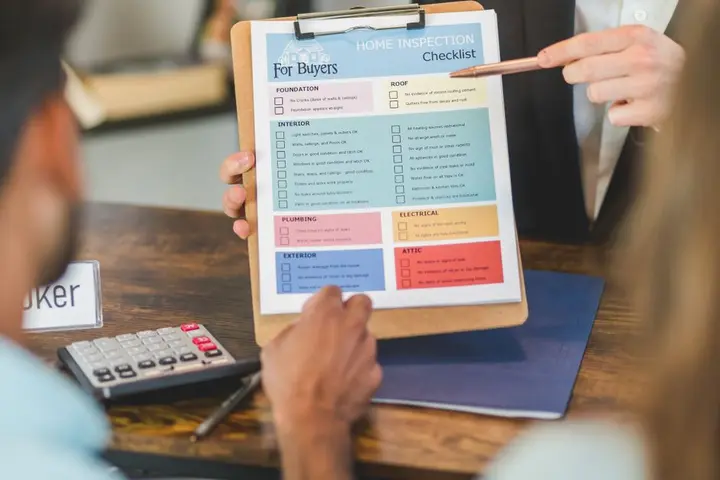
A weak listing harms search visibility. Rework vague titles, add a precise location, and publish a detailed description. Small changes can lift readability and relevance.
- Verify event name and date
- Provide complete venue details
- Attach a quality image
- Add a clear call to action
If your event isn’t showing up, review whether the platform requires verification or a blue-check style label. Follow their prompts to confirm your listing rather than guessing.
A cluttered page with competing ads or unnecessary sections distracts readers. Strip to essentials: who, what, when, where, and why.
- Vague titles
- Missing location
- Inaccurate timing
- Outdated information
- Poor image quality
Frequently asked questions
Can I list an event on multiple platforms at once?
Yes. Coordinating listings across several platforms boosts visibility, but keep core details consistent—title, date, time, and location—so readers aren’t confused by mismatches.
Does Google require special formatting for events?
Google understands standard event data when your pages include clear titles, dates, times, and locations. Use a simple structure and avoid clutter, which helps the listing appear in search results and on maps.
How often should I update an event listing?
Update whenever key details change—start time, venue, or registration. Regular checks prevent readers from seeing outdated information and help maintain trust.
What makes an event listing fail to show up?
Missing essential details, inconsistent data across platforms, or poor-quality media can prevent indexing. Ensure accuracy, completeness, and a relevant image to improve discovery.
Final steps for visibility
With clear details and consistent listings across platforms, readers are more likely to find your event when they search for local happenings. Focus on the essentials and test different descriptions to see what resonates with your audience.
Next, choose a primary platform where you maintain the most control over accuracy, then expand to trusted calendars and community boards to broaden reach while keeping a tight edit cycle.


